Microsoft Copilot Training

Microsoft Copilot Training for Business Teams

Practical, hands-on Copilot training built around your organisation's own Microsoft 365 setup and the work your people actually do.

Delivered by a Microsoft Certified Trainer, on-site at your offices in Durban, Johannesburg or Cape Town, with staff in other regions joining online.

Start With What You Actually Have

Not Every Copilot Is the Same

What your staff can do with Copilot depends on the licences your organisation holds. Microsoft updates these regularly, so we check exactly what your team has access to before we design anything.

Included with many business accounts

Copilot Chat

A secure AI chat for questions, drafting, research and working with files you upload. A strong place to build prompting skills, and often the tool your staff already have but rarely use well.

Paid licence

Microsoft 365 Copilot

Copilot working inside Word, Excel, PowerPoint, Outlook and Teams, drawing on your emails, files and meetings within your existing permissions. This is where training has to match your real working environment.

Real Work, Not Demo Examples

Your Team Brings the Tasks on Their Desk

Delegates work on what they're busy with right now, in the apps they already use every day. Exactly which of these your team can use depends on your licences.

01

Email in Outlook

Summarise long threads, draft replies in the right tone and get through a busy inbox faster.

02

Meetings in Teams

Recap meetings, capture decisions and action items, and catch up on what you missed.

03

Documents in Word

Draft, rewrite and summarise reports, proposals and policies from your own source material.

04

Data in Excel

Ask questions of your data, spot trends and get help with formulas, without being a spreadsheet expert.

05

Presentations in PowerPoint

Turn a document or a set of notes into a structured first-draft presentation in minutes.

06

Checking the Output

Knowing when to trust Copilot and when to check its work, so speed never comes at the cost of accuracy.

The Approach

Skills That Outlast the Next Update

Copilot's buttons and menus will keep changing. The thinking behind good AI use doesn't, so that's where the training starts.

01

How Generative AI Works

A clear, jargon-free understanding of what Copilot is doing, where it shines and where it can get things wrong.

02

Prompting With a Framework

The GCSE and CRAFT prompt frameworks, so your team gets specific, useful results instead of generic answers.

03

Applied to Each Role

Every delegate applies what they learn to their own role, tasks and industry before they leave the room.

Our free prompt guides cover a wide range of roles and industries, and the prompts work in Copilot. Your team leaves with a toolkit they can keep using.

Trained by a Microsoft Certified Trainer

Depth Across Copilot, Not Just the Basics

Graeme Pitt is a Microsoft Certified Trainer and SETA-accredited facilitator who has completed six Microsoft Learn learning paths and 26 modules on Microsoft 365 Copilot.

Adoption and Enablement

Planning a successful Copilot rollout, onboarding employees and driving real value across the organisation, including MS-4007: driving enablement of Copilot for Microsoft 365.

Everyday Productivity

Email workflows, productive meetings, impactful documents, effective presentations and new data insights, plus crafting effective prompts.

Role-Specific Use Cases

How Copilot supports Sales, Marketing, Finance, HR, IT, Operations and Executive teams, so training speaks to each department.

Credential
Microsoft Certified Trainer
Microsoft Learn
6 Learning Paths, 26 Modules
Delivery
On-Site or Online

See the full learning record →

Beyond the First Workshop

Helping Copilot Adoption Stick

A licence on its own doesn't change how people work. Copilot training follows the same 5-Step AI Journey as all our programmes, so your team keeps building from one stage to the next.

Practical AI Productivity
Steps 1 and 2: understand Copilot and use it confidently for everyday tasks
Team AI Fluency and Integration
Step 3: consistent, well-judged use built into how the whole team works
AI Implementation and Workflow Development
Steps 4 and 5: identify the right workflows, build practical solutions and measure the improvement
Support Along the Way
Questions by email or WhatsApp at no charge, with one-on-one coaching sessions available at an hourly rate

Using more than one AI platform across your business? We can train across all of them in a single programme.

Before We Talk

Five Questions That Shape Your Training

  • Which Copilot does your team use: Copilot Chat, Microsoft 365 Copilot or both?
  • Roughly how many staff have a Microsoft 365 Copilot licence?
  • How many people would attend, and where are they based?
  • Which apps does your team rely on most?
  • What would you most like your team to do better or faster?

Not sure about your licences? That's common, and we'll help you check.

Send these questions in an email →
Proof, Not Promises

Don't Just Take Our Word for It

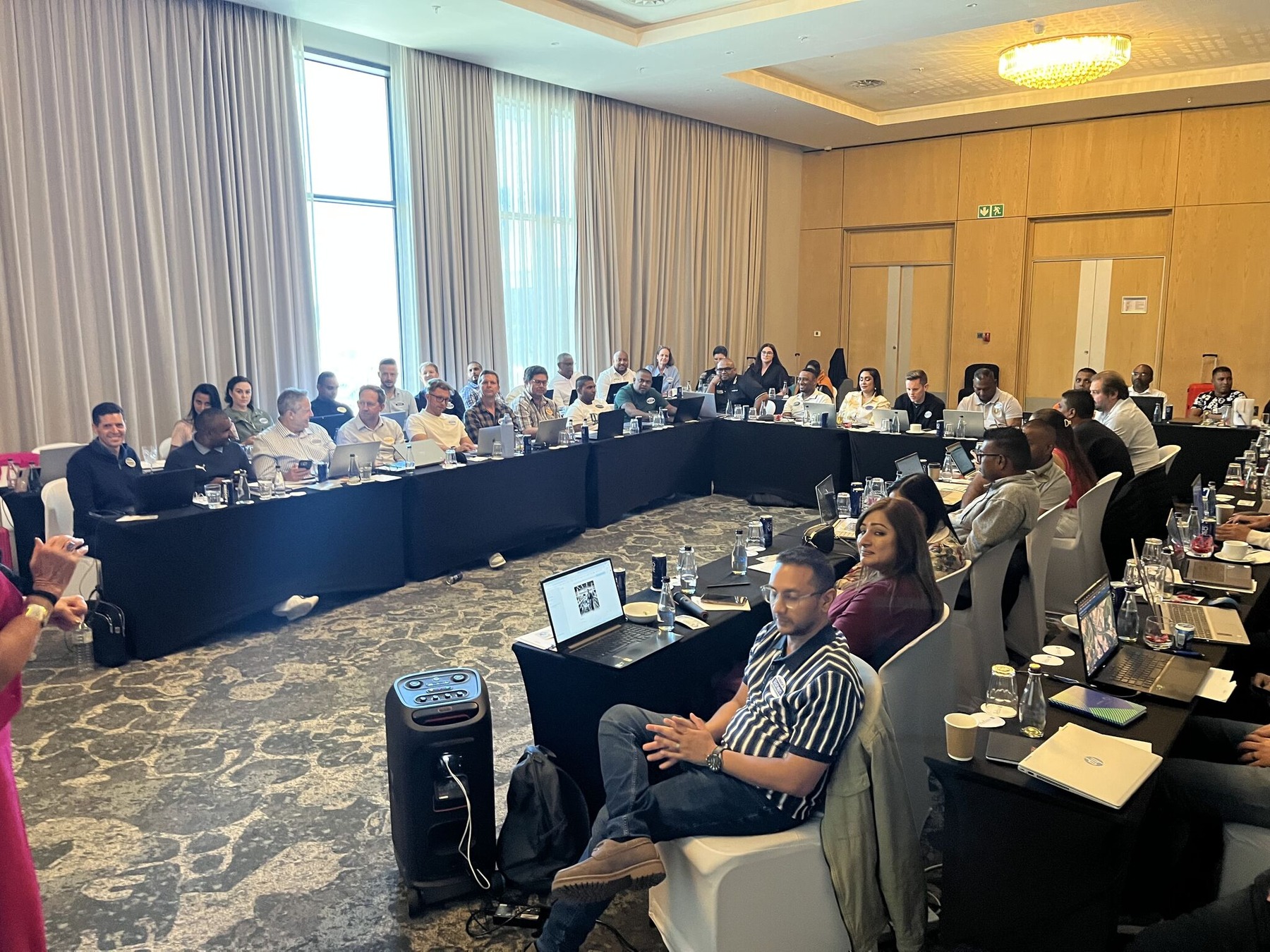
Hirsch's leadership team training together at their Gen AI Innovation workshop

From manufacturing and hospitality to legal, finance, education and NGOs, we've trained teams across industries. References are available on request.

Read client stories and results →
Let's Get Started

Let's Get Your Team Using Copilot Properly

Tell us which Copilot your team has and what you want to achieve, and we'll put together a proposal built around your organisation.

Graeme Pitt is a Microsoft Certified Trainer. Gen AI Innovation is an independent training business and is not part of Microsoft. Microsoft, Microsoft 365 and Copilot are trademarks of the Microsoft group of companies.